
Contents
Guides
Approvals and autonomy
What you'll do: learn what asks for your approval by default, how to approve or redirect it, and how to give a goal more freedom when it earns it.
Every goal has an autonomy level: a slider with four stops. Each stop lets the crew do one more kind of thing on its own; everything else it prepares and asks about. Your rules from goal setup apply at every stop — autonomy never overrides them.

The four levels
| Level | The crew on its own… | Still asks before… |
|---|---|---|
| Ask first | Prepares work. | Running anything. |
| Run steps (default) | Runs your workflow steps. | New posts, sends, or workflow edits. |
| Edit workflow | Also edits steps and schedules. | New posts or messages. |
| Full | Also posts, sends, and reaches out. | Nothing — but always within your rules. |
New goals start at Run steps: the crew does the work, and asks before anything outward-facing (a send, a post, a message) or structural (changing the plan itself).
Steps
- Find the slider. Open the workflow, then its activity view (the heartbeat icon in the toolbar). The autonomy slider shows the current stop, with a one-line summary of what it means.
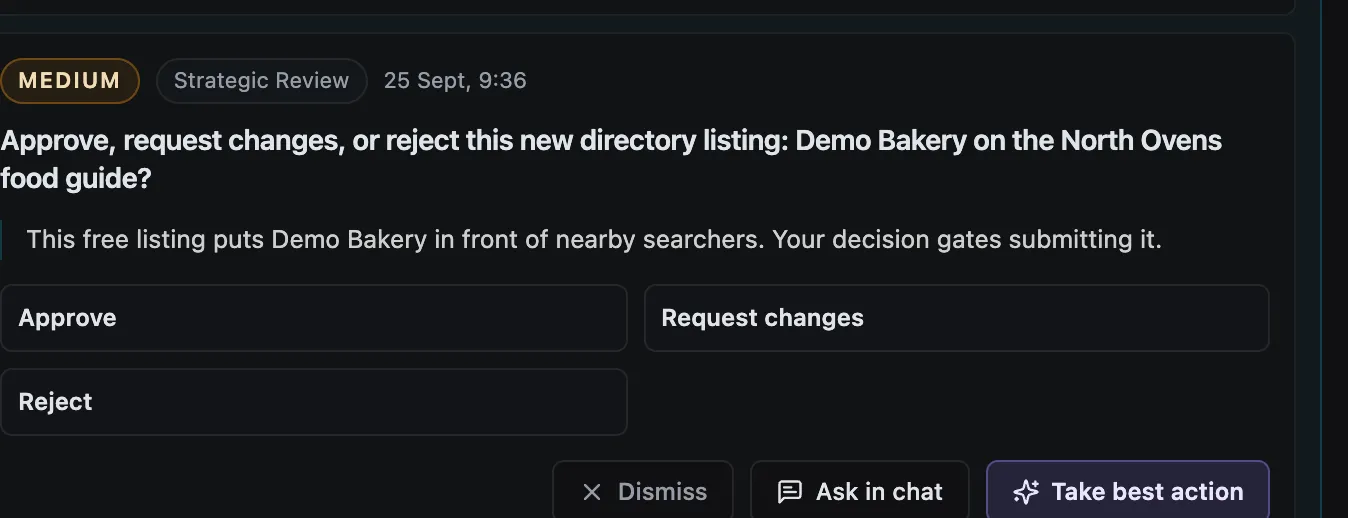
- Approve or redirect. Approvals arrive where the job lives — the Slack thread, WhatsApp chat, or app inbox — with the context attached. Reply
approveto continue, or describe what to do differently ("offer 10%, not 15%") and the crew adjusts. - Move up one stop at a time. When a goal runs a week without surprises, move it from Run steps to Edit workflow, and later to Full. There is no prize for Full — many goals live happily at Run steps forever.
- Move back down instantly. If anything feels off, drop the goal back to Ask first. In-flight work pauses at its next decision point and waits for you.
What happens next
Approvals get rarer as trust compounds. Auto-improve folds your repeated corrections into reusable knowledge — "always offer the annual plan first" stops being an approval and starts being how the crew works. Your job shrinks to the genuinely new decisions.
FAQs
What happens if I ignore an approval? The job waits. Nothing it was unsure about runs without your answer, and the approval stays open in Slack, WhatsApp, or the app until you reply.
Can different goals have different levels? Yes — autonomy is per goal. Your invoice chaser can run at Full while a new experiment stays at Ask first.
Does Full mean the crew can break my rules? No. Rules you set on the goal ("key accounts always need approval") hold at every level, including Full. Full removes the default outward-facing checks, not your explicit rules.
Who approved what? Every approval and rejection is recorded on the run — what was asked, what you decided, and when. Open any run to see its decision trail.
Need help? Book a call and we'll set sensible levels for each goal with you.